

Ask AI about your crypto taxes and portfolio
Ask Claude or ChatGPT in plain English
Ask about your gains, losses, tax position, or portfolio without exports, spreadsheets, or tax jargon.
For example: “What are my taxable gains so far this year?”
Get answers grounded in your CoinTracker data
Your AI assistant can use your connected CoinTracker data, including transaction history, cost basis, gains and losses, crypto income, DeFi activity, and account sync status.
Explore taxes and your portfolio in one place
Use the same connection to explore your tax data and portfolio. Ask about gains before year end, review cost basis, check holdings, or understand activity across your connected accounts.
How to use CoinTracker with ChatGPT or Claude
Connect CoinTracker to Claude or ChatGPT in a few steps. Once connected, you can ask questions about your taxes, portfolio, and transaction history in plain language.
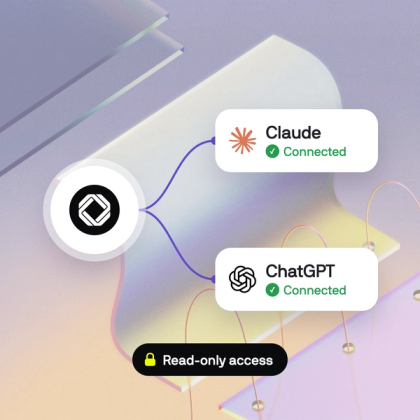
1. Connect CoinTracker to Claude or ChatGPT
Open your AI assistant's MCP settings, add CoinTracker, and authorize read-only access.
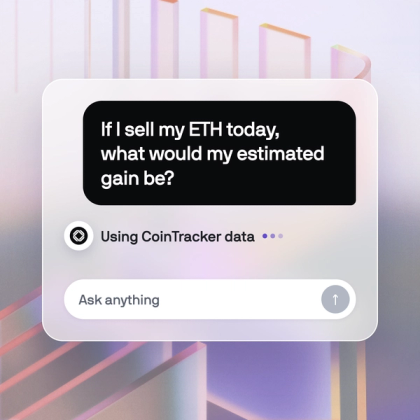
2. Ask your question in plain language
Ask about gains, cost basis, portfolio activity, transaction history, or account status without exporting a spreadsheet.
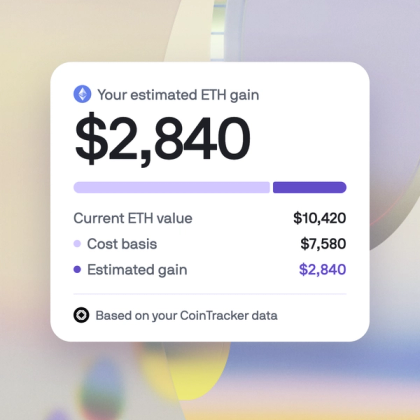
3. Get an answer grounded in your CoinTracker data
Your AI assistant uses the CoinTracker data you have connected to answer your question.
Ask your crypto tax and portfolio questions directly
Skip the CSV exports, manual calculations, and jumping between tools. Ask your AI assistant directly using your connected CoinTracker data.
| What you want to do | The old way |  With CoinTracker MCP With CoinTracker MCP |
|---|---|---|
| Check your tax position | The old way Open your tax summary, export data, and interpret the numbers yourself. | With CoinTracker MCP What is my total portfolio value right now? |
| Open your tax summary | The old way Review reports and manually check that your wallets and exchanges are included. | With CoinTracker MCP Are all my wallets synced? Is there anything in my data I should review before filing? |
| Check your portfolio value | The old way Open your portfolio dashboard and review your balances. | With CoinTracker MCP What is my total portfolio value right now? |
| Review a position before selling | The old way Review cost basis and unrealized gain information across your records. | With CoinTracker MCP If I sell my ETH today, what would my estimated gain be based on my CoinTracker data? |
Frequently Asked Questions
CoinTracker connects your portfolio to Claude and ChatGPT, so you can ask questions about your crypto: balances, holdings, gains, taxable activity, and DeFi positions, directly in conversation.
CoinTracker AI can help you ask questions about taxable activity, gains and losses, cost basis, and DeFi activity in your connected CoinTracker account. It does not replace your own review or advice from a tax professional.
No. It gives you another way to explore your CoinTracker data. You can still use the CoinTracker dashboard for detailed review, exports, tax workflows, and account management.
You can remove CoinTracker AI from your AI assistant configuration and revoke connected access from your CoinTracker settings.
